Setup from zero
To create your own membership site, just open the Lead hub at the leftside menu and click My sites link. There click a Create a site button.
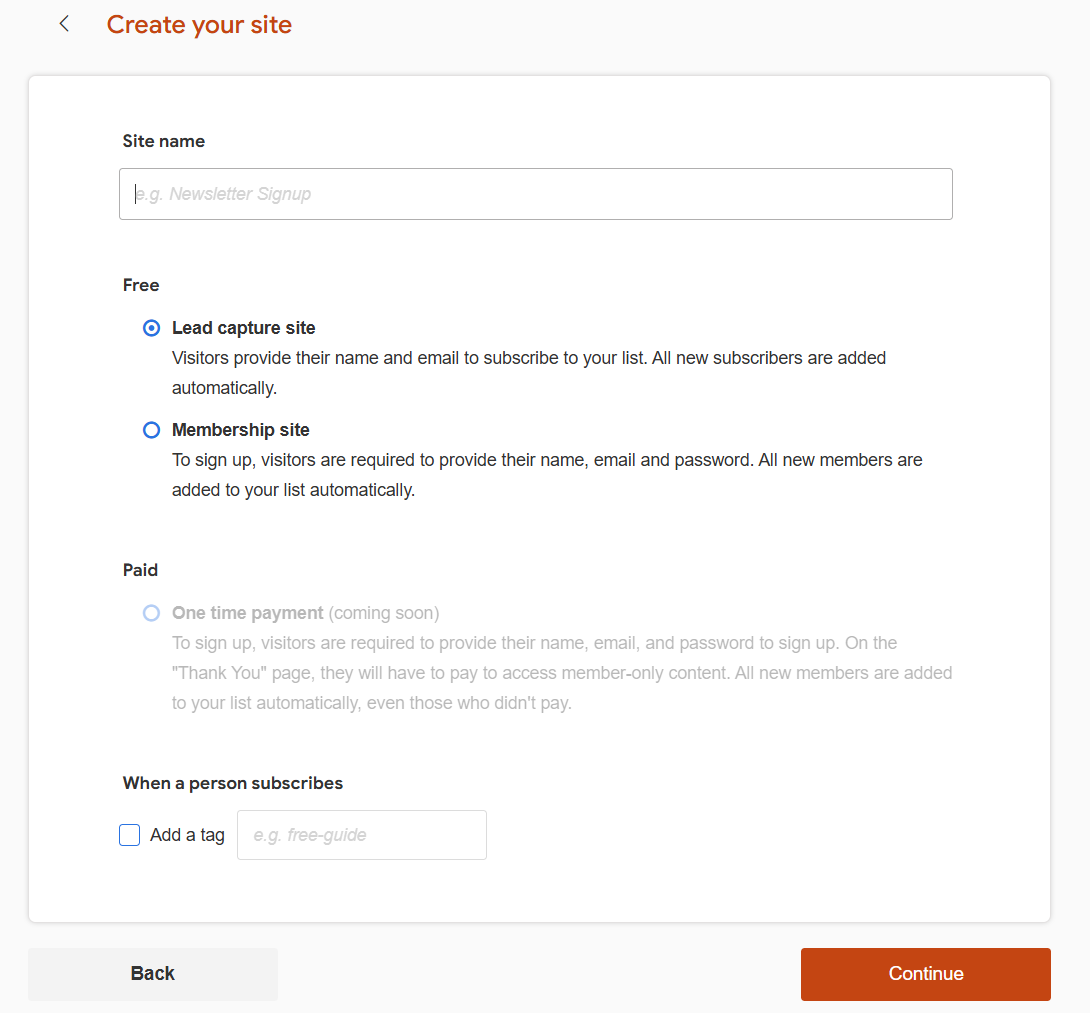
Give your site a name and select whether you wish it to be free to join or not.
Free site
Lead capture site. Members will have to provide only name and email to get access to a product.
Membership site. Members will have to provide name, email and password to get access to member area. You can fill your member area with numerous products and open them based on membership time of a user. For example, open "Product A" on first month of subscription and "Product B" on the second month, and so on.
This will keep your members motivated to open your emails and stay subscribed to your list.
Paid site
Onetime payment. Members will have to pay to join your site. After your members submit a payment, they can download one product.
Recurring payment. Members will create a subscription which will rebill automatically, based on billing cycles you select, i.e. $9.95 per month. You can fill your member area with numerous products and open them based on membership time of a user. For example, open "Product A" on first month of subscription and "Product B" on the second month, and so on.
Tag
All types of sites automatically add all users to your list of Leads.
We suggest to assign tags to different subscribers of different sites and different types of sites. This way you can easily differentiate who to send followups or broadcasts to. You can also setup automations to change tags, based on different scenarios and user's behaviour.
Click Next. This is it. Your site has been created
Content
Now you can edit contents of your pages. Just click Edit page to open the editor. We made it as simple as it was possible to eliminate the learning curve.
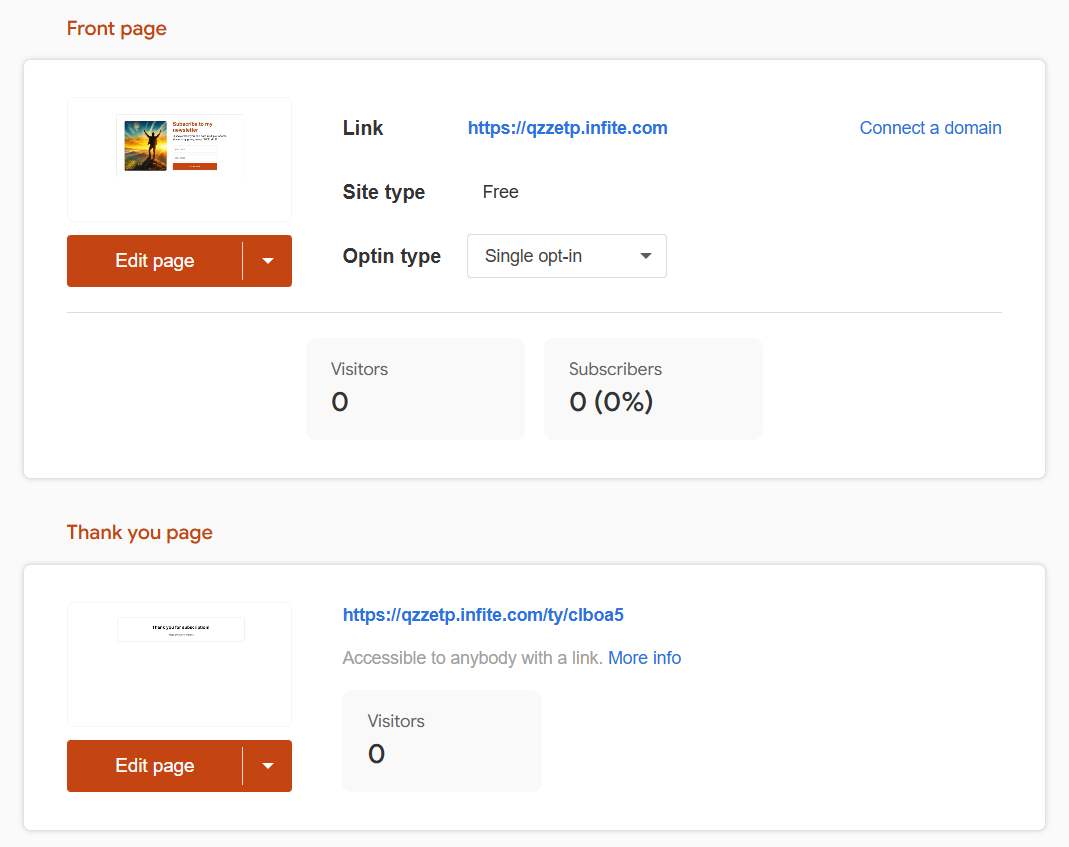
The system generates random link for your site, but you can connect your own domain to it or buy one directly from Udimi. Just click the Connect a domain to do so.
Optin type
Optin type is a way how we verify validity of email entered by your subscriber.
Double optin
After a user submits email address, we send a verification email to confirm the subscription. Only after clicking the confirmation link, a user will get a "verified" status and start receiving your followups and broadcasts.
Single optin
We do not verify validity of email and your broadcasts and followups will be sent to that address. If a user clicks any link in your email, they will become a "verified" user. This means that a user received your email and confirmed that there's no mistake.